
Building a Household Price Book to Track What Things Actually Cost

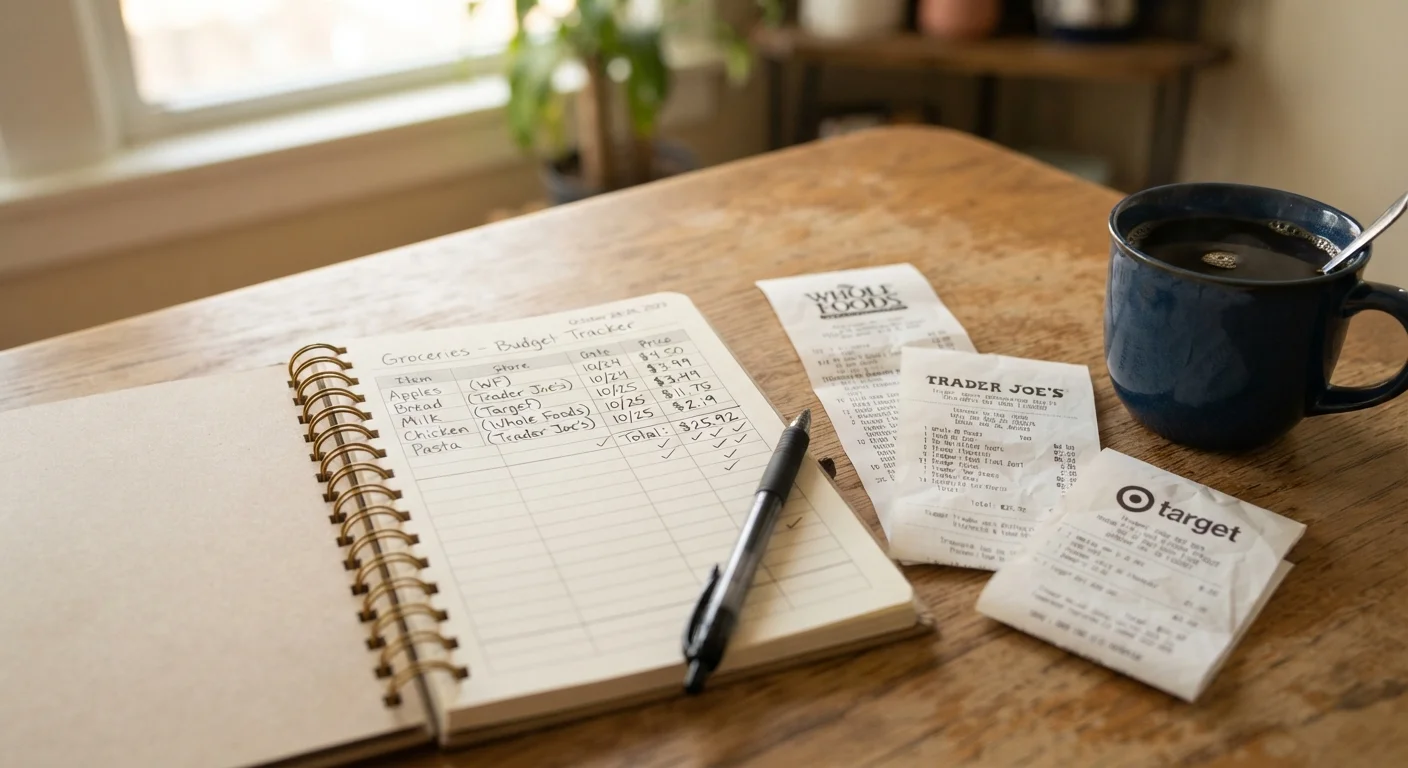
Photo: nativeinfoline.com editorial
Key Takeaways
- A price book records what you actually pay for regular purchases, giving you a baseline to judge whether a sale price is genuine.
- You only need 20 to 30 core items to build a useful reference; starting small prevents the project from stalling.
- Tracking unit prices rather than package prices protects against shrinkflation and misleading markdowns.
- A price book works best alongside seasonal awareness since grocery prices follow predictable cycles.
- Consistent upkeep takes about five minutes per shopping trip once the initial setup is complete.
What a price book actually is
A price book is a personal record of what you pay for the items your household buys repeatedly. It is not a wish list, a budgeting app, or a coupon organizer. Its only job is to tell you, at a glance, what a specific product normally costs at each store you shop, so you can recognize when a price is genuinely low versus when it is dressed up to look that way.
Retailers use a variety of markdown strategies that can obscure true value. A product marked "40% off" may still be more expensive per ounce than the same product at a competing store with no promotion at all. Without a personal baseline, it is difficult to tell. A price book gives you that baseline, built from your own receipts and shopping habits rather than from averages that may not reflect your region or preferred stores.
This matters most for groceries and household consumables: items you buy every few weeks for years. For those purchases, even small per-unit savings compound over time. The grocery budget strategies that hold up over time all rely on knowing your real costs, and a price book is the simplest way to establish them.
What you need before you start
The setup is deliberately low-tech. You do not need a subscription, an app, or a spreadsheet if you prefer not to use one. The goal is a system you will actually maintain.
What you will need
If you prefer a digital format, a shared spreadsheet works well for households where more than one person shops. A phone note or a dedicated budgeting app with a custom category can also work. The format matters less than the habit of recording consistently.
How to build your price book step by step
List your 20 most-purchased items
Pull out your last three or four receipts and circle every item that appears more than once. These repeating purchases are your core list. Aim for 20 to 30 items to start. Common categories include dairy, cooking oils, canned goods, paper products, cleaning supplies, and staple proteins.
Leave out items you buy rarely or experimentally. A price book for occasional purchases offers little return for the time it takes to maintain.
Set up your tracking columns
For each item, record the following data points in columns: product name, package size, store name, price paid, unit price (price divided by ounces, count, or other standard unit), and the date of purchase.
Unit price is the most important column. It is the only number that allows fair comparisons across different package sizes and different stores. Most store shelf tags already display unit price; if yours do not, divide the total price by the number of units on the label.
Record prices from your existing receipts
Go back through the receipts you gathered and fill in as many entries as you can. You may not have every item from every store, and that is fine. The goal at this stage is to populate enough rows that the book is immediately useful, not to achieve completeness.
If a receipt does not show the unit size, check the product's current listing on the retailer's website. Most grocery chains display full product details online, including weight and unit pricing.
Verify and fill gaps on your next shopping trip
Bring your price book or a phone note with your item list to the store. For anything not yet recorded, note the price and package size directly from the shelf. Do not rely on memory; write it down before you move to the next aisle.
If you shop at more than one store regularly, do a single walkthrough of each store's staple aisles with your list. This one-time visit fills most of your remaining gaps and gives you a genuine cross-store comparison for the first time.
Update after every shopping trip
After you return from shopping, compare your receipt against your recorded prices. If a price has changed, update the entry and note the new date. If an item was on sale, record both the sale price and the original price in separate columns or with a clear label, so you can distinguish a genuine baseline from a promotional anomaly.
This step takes roughly five minutes once the book is established. Skipping it even a few times introduces stale data that will eventually mislead you, so treat it as part of unpacking the groceries rather than an optional extra task.
Once you have two to three months of data, patterns become visible. You will see which store consistently prices certain categories lower, which sale cycles repeat, and where the gap between "sale" and "normal" is small enough to ignore. That information is more reliable than any advertised deal because it comes from your own purchasing history.
Pair your price book with a produce calendar to go further. Seasonal produce prices shift significantly across the year, and the seasonal eating guide explains how to build meals around what is currently affordable rather than what is simply on sale.
Keeping it accurate over time
A price book degrades quickly if it goes unupdated. Prices change, stores reformulate packages, and new products replace old ones. The maintenance habit is what makes the tool work.
After each shopping trip, spend a few minutes comparing your receipt against your recorded prices. Update any entry where the price has shifted by more than a few cents. Mark the date so you can see how often a price has changed. If a product disappears from your store or you switch stores, remove or archive that entry rather than leaving stale data in place.
Watch for package size reductions without a price drop (commonly called shrinkflation). If a can of soup drops from 18.6 oz to 16.3 oz at the same shelf price, the unit price has gone up even though the sticker price has not. Tracking by unit price catches this automatically.
A monthly review of your overall spending fits naturally alongside this habit. The monthly budget reset checklist can help you audit whether your price book is translating into actual savings. And if you are still building the broader financial structure your household runs on, the family budgeting from scratch guide covers the foundational steps. Price awareness follows similar logic across categories: the same principles that apply to grocery markdowns apply to travel costs, as the family travel costs article explains for airfare and hotel rates.
The content provided on our blog site traverses numerous categories, offering readers valuable and practical information. Readers can use the editorial team’s research and data to gain more insights into their topics of interest. However, they are requested not to treat the articles as conclusive. The website team cannot be held responsible for differences in data or inaccuracies found across other platforms. Please also note that the site might also miss out on various schemes and offers available that the readers may find more beneficial than the ones we cover.